Star Comet Clean
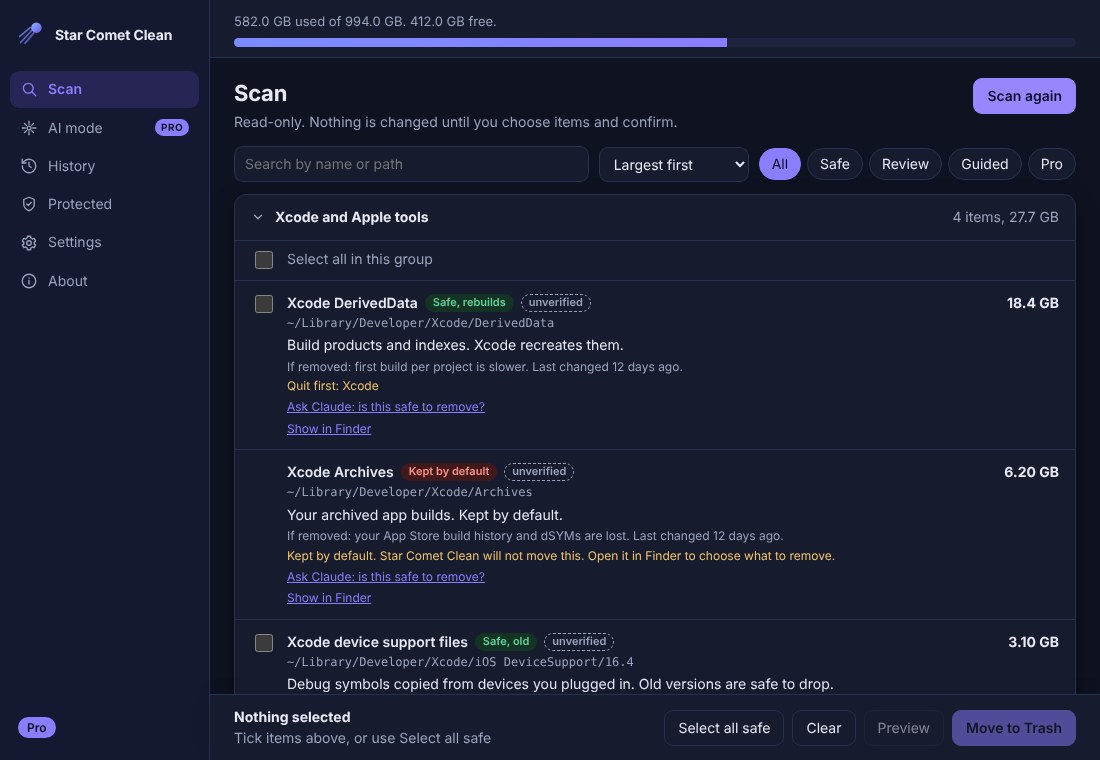
Your Mac fills up with Xcode, Unity, simulator and package caches. Star Comet Clean finds them, explains each one, and clears only what you pick. Everything goes to the Trash first.
Mac: Apple Silicon, notarized by Apple. Windows 10 and 11: the installer is not code-signed yet, so Windows may show a SmartScreen notice (choose More info, then Run anyway). Free to use.
SEE IT WORK
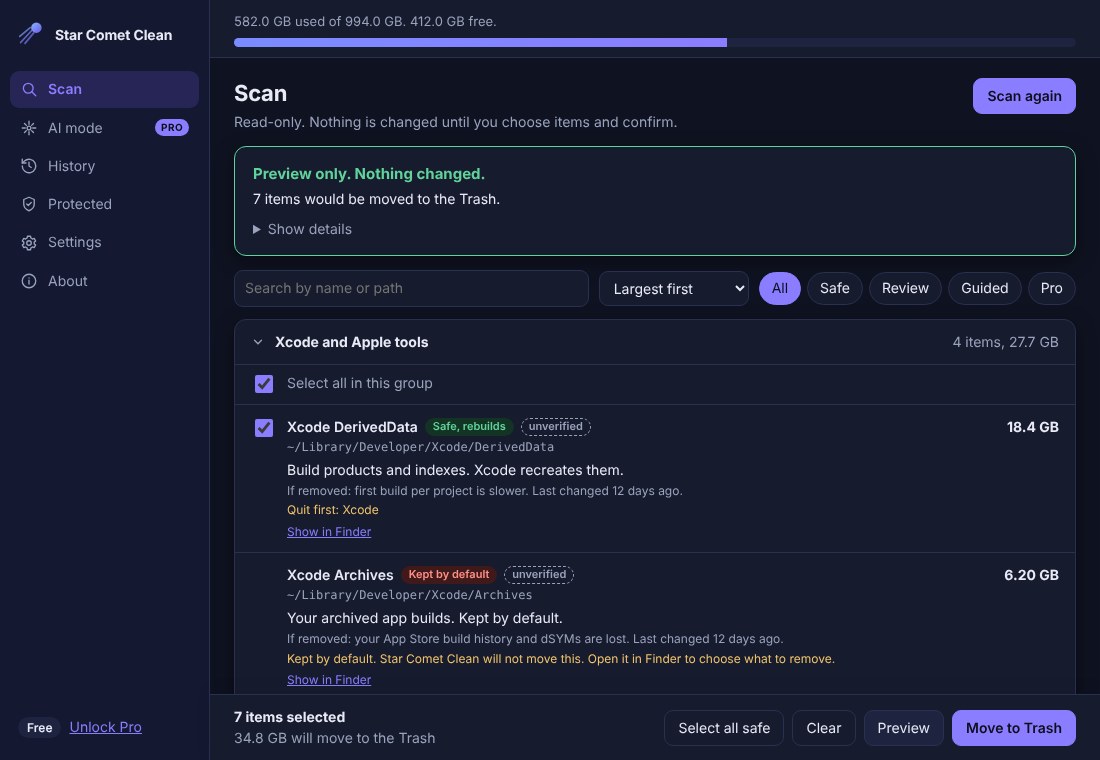
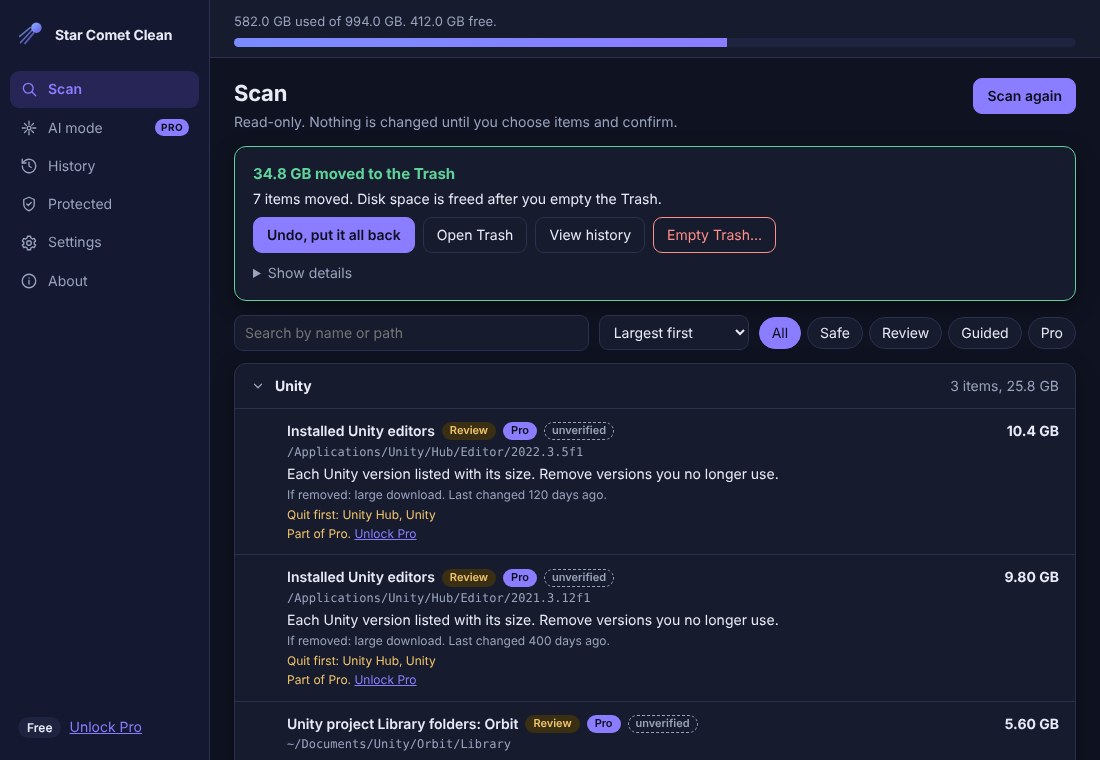
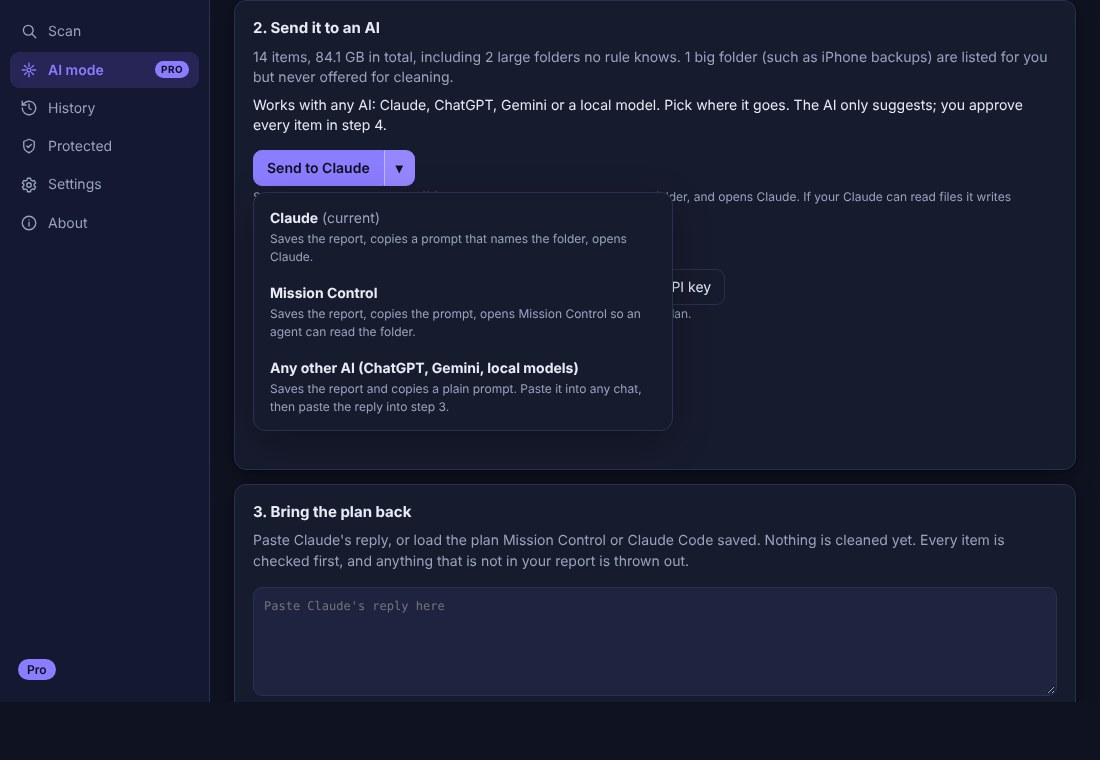
Screens show sample data.
BUILT TO BE SAFE
Trash first
Nothing is permanently deleted. Items move to the Trash so you can put them back.
You approve every item
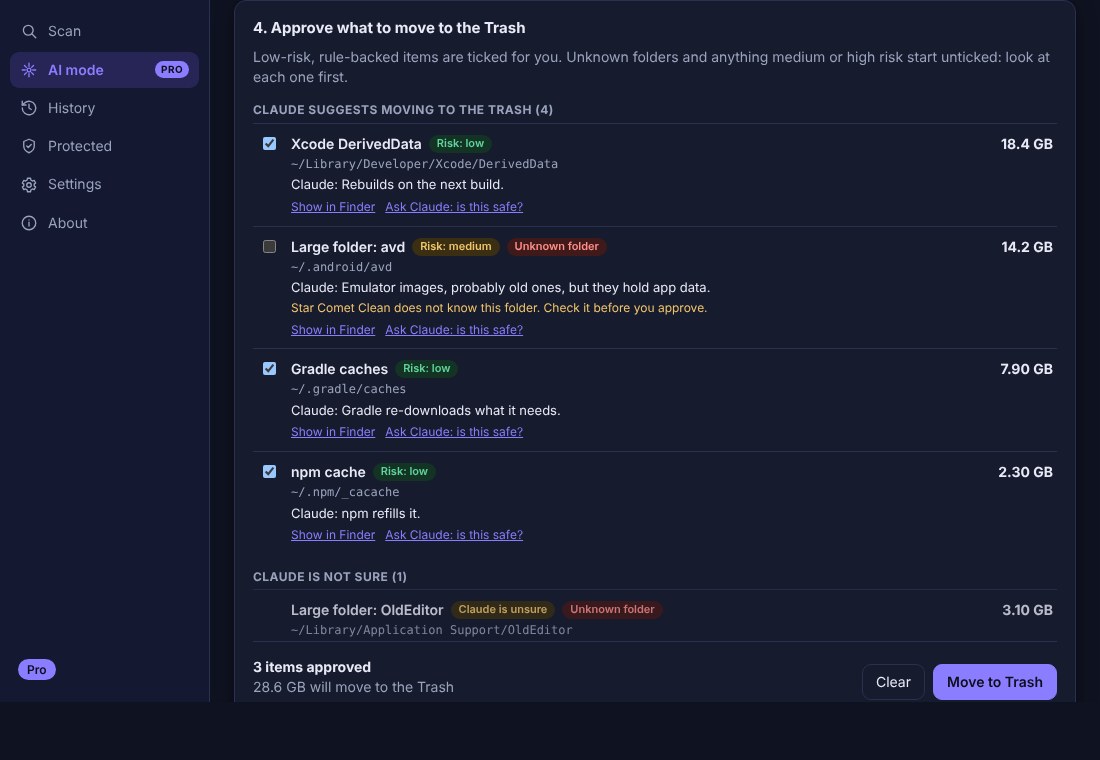
Even the AI features only suggest. Nothing moves until you tick it and confirm, and every plan is re-checked against your scan.
Explains everything
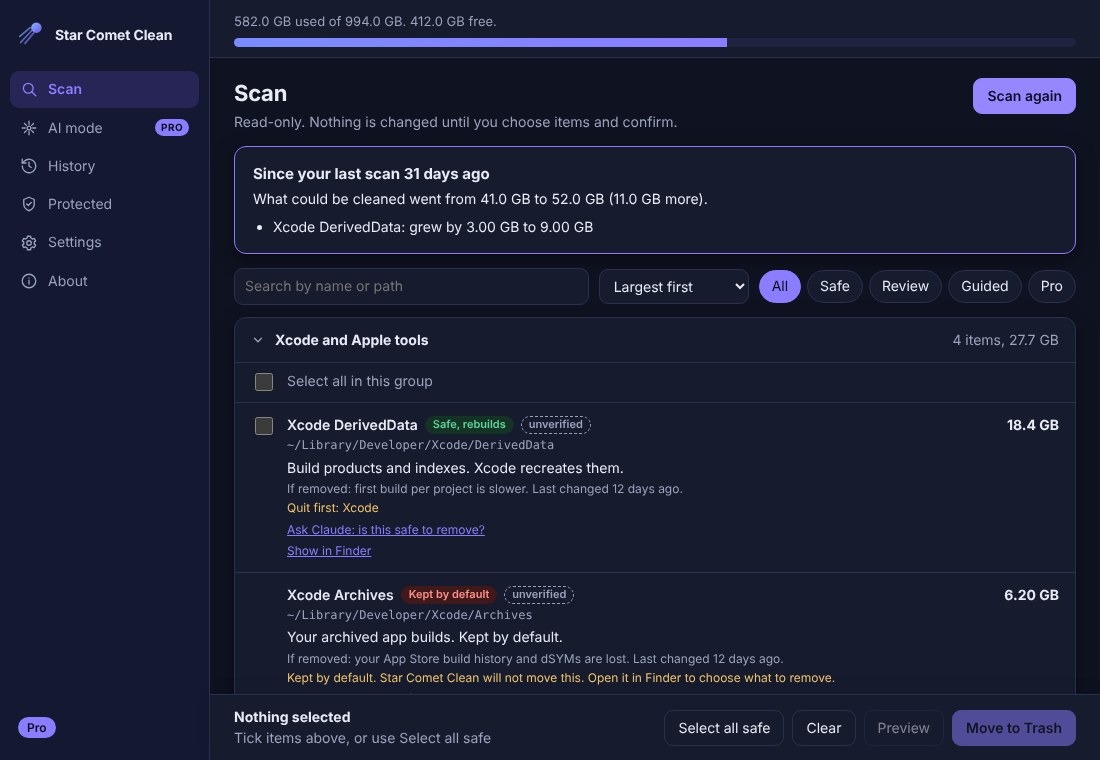
Each item shows what it is, how big it is, and what it costs to regenerate.
Protected list
Your documents, projects and system folders are off limits by design.
No telemetry
No tracking and no account. Scans happen on your Mac. The only time anything leaves it is an AI question you approved on a screen that shows the exact text.
Only measures sizes
The app never reads the contents of your files. Usernames and file names are left out of anything sent to an AI.
WORKS WITH ANY AI
Pro builds a private report of what is using your disk (your username and the names of files are always left out) and hands it to the AI you choose. Use Claude, Mission Control, ChatGPT, Gemini or a local model: the app copies a ready-written prompt and saves the report to a folder, and the AI answers with a plan. Prefer no copy and paste? Ask my Claude runs the Claude app already on your Mac, and the answer appears inside Star Comet Clean. Send to Claude opens Claude in your browser instead, and you paste the reply back. You can also add your own API key (kept in the macOS Keychain, off by default). Before anything is sent you see the exact text on a consent screen. The AI never deletes anything: you approve every item.
WHAT IS NEW IN 0.5.0
- Clearer AI mode: "Ask here" (Ask my Claude, Ask Mission Control, your own API key) shows the answer inside the app, and "Send elsewhere" (Send to Claude, Send to Mission Control, Copy for any AI) opens another window so you paste the reply back. Every button says which one it is before you click
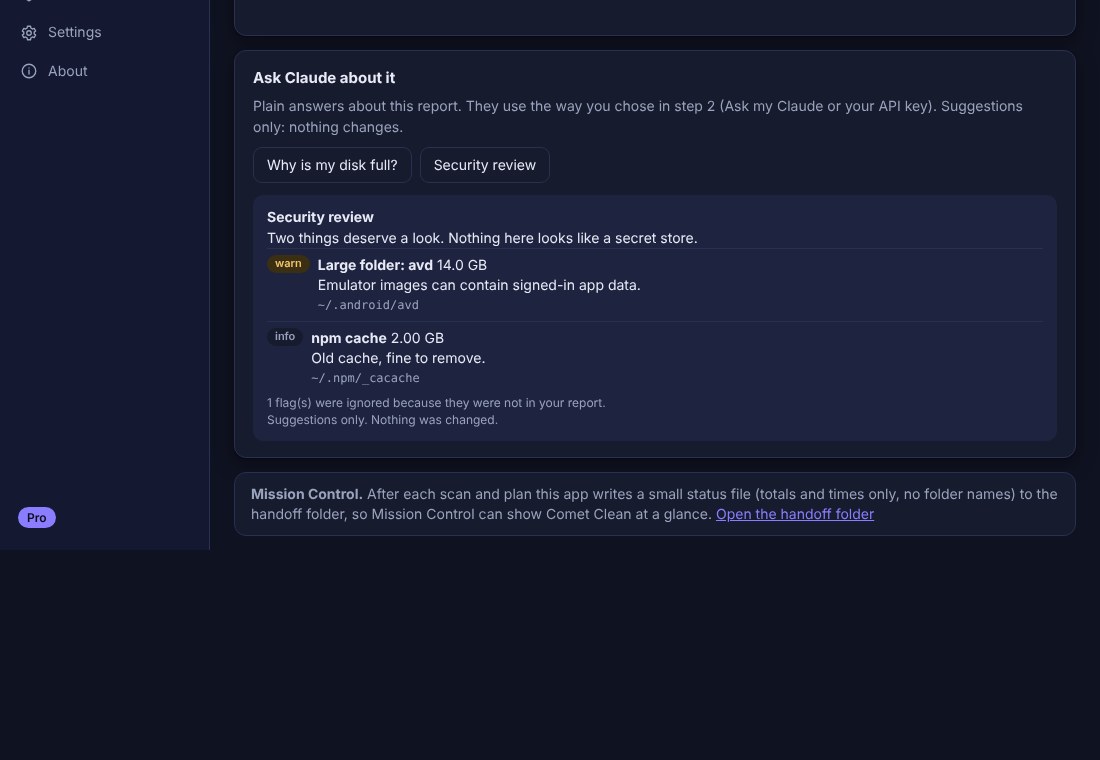
- Tick and move to the Trash from the Security review (Pro): tick the folders it flags, confirm, and they go to the Trash. Nothing is ticked for you, protected folders are never moved, Undo puts them back, and nothing happens automatically
- Ask Mission Control (Pro): if Mission Control 1.7.0 or newer is running on your Mac, ask it a question and see the answer in the app. You approve the exact text first, it stays on your Mac, and if Mission Control is not running nothing is sent
ALSO IN 0.4.0
- Send to AI in one click: Claude, Mission Control or any other AI (ChatGPT, Gemini, local models)
- Ask my Claude: run your own Claude from the app, no pasting, with a consent screen that shows exactly what is sent
- The plan is picked up automatically when your AI saves it, then re-checked item by item
- Why is my disk full, Explain this folder, and a security review
- Monthly check of what grew, and an optional reminder inside the app
- Folders macOS will not let the app read are now listed, never silently skipped
- A Permissions step on first run, and an offer to move the app into Applications properly
HELP: MACOS PERMISSIONS
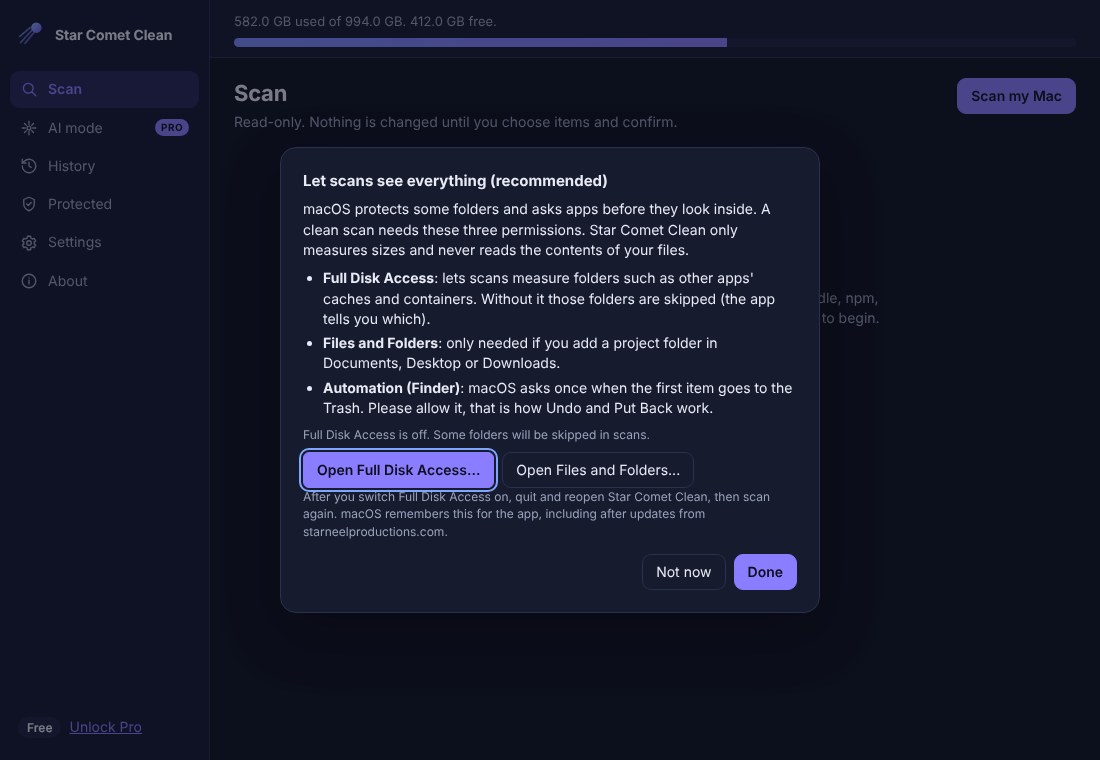
A permission box appeared and then vanished. macOS protects some folders and asks before an app looks inside. If a box disappears or you pressed Don't Allow, that folder is skipped. Star Comet Clean lists skipped folders after every scan, so nothing is hidden from you.
To include them: open System Settings, Privacy & Security, Full Disk Access, switch on Star Comet Clean, then quit and reopen the app and scan again. The app has buttons that open that page for you. The app only measures sizes; it never reads what is inside your files.
Finder (Automation): the first time an item goes to the Trash, macOS asks if Star Comet Clean may control Finder. Allow it: that is how Undo and Put Back work. You can change it later under Privacy & Security, Automation.
Files and Folders: only asked if you add a Unity project folder in Documents, Desktop or Downloads.
The app lives on the Desktop. Dragging it to Applications from a folder can leave only a shortcut. On first launch the app offers to move the real app into Applications for you.
FREE AND PRO
Free
- Xcode and Gradle caches
- Package manager caches
- Empty Trash with confirmation
- Preview before every cleanup
- Undo and Put Back for everything it moves
Pro — $9.99 once
- AI mode that works with any AI: send the report to Claude, Mission Control, ChatGPT, Gemini or a local model
- Ask my Claude: use the Claude app on your Mac with no copy and paste, and the plan comes back by itself
- Why is my disk full, Explain this folder and a security review, in plain words
- Tick the folders the security review flags and move them to the Trash, with Undo
- Ask Mission Control: put a question to Mission Control (1.7.0 or newer) on your Mac and see the answer in the app
- Monthly check: what grew since your last scan
- Privacy modes, and an optional API key kept only in the macOS Keychain
- Unity editors, Docker and VM images, Unity project Libraries
- Finds large unknown folders for you to review
- One-time purchase, no subscription
You get a license key after checkout. Paste it into the app; it unlocks Pro offline.