Sol
MASTER AGENT
Your chief of staff and single point of contact.
- Triages every request and delegates to the right specialist
- Keeps the whole picture across every project
- Reports back in plain terms; never calls something done without checking
AI Agent Team is the same multi-agent Claude Cowork / Claude Code system Starneel Productions uses every day to build apps, make videos, and run a shop — packaged for you, with a chief of staff, specialists, and reviewers in one team.
Mission Control is a small app that runs on your own computer. See every agent at a glance, chat with the team from one window, review changes before they are committed, and schedule recurring jobs. See what your agents create in a side pane, and approve folders and deletes with one click. Included with the Agent Team.
Click around the real app with a sample team: open the Brain, chat with the Master Agent, review a commit. It runs in your browser with made-up data. Nothing is saved or sent.
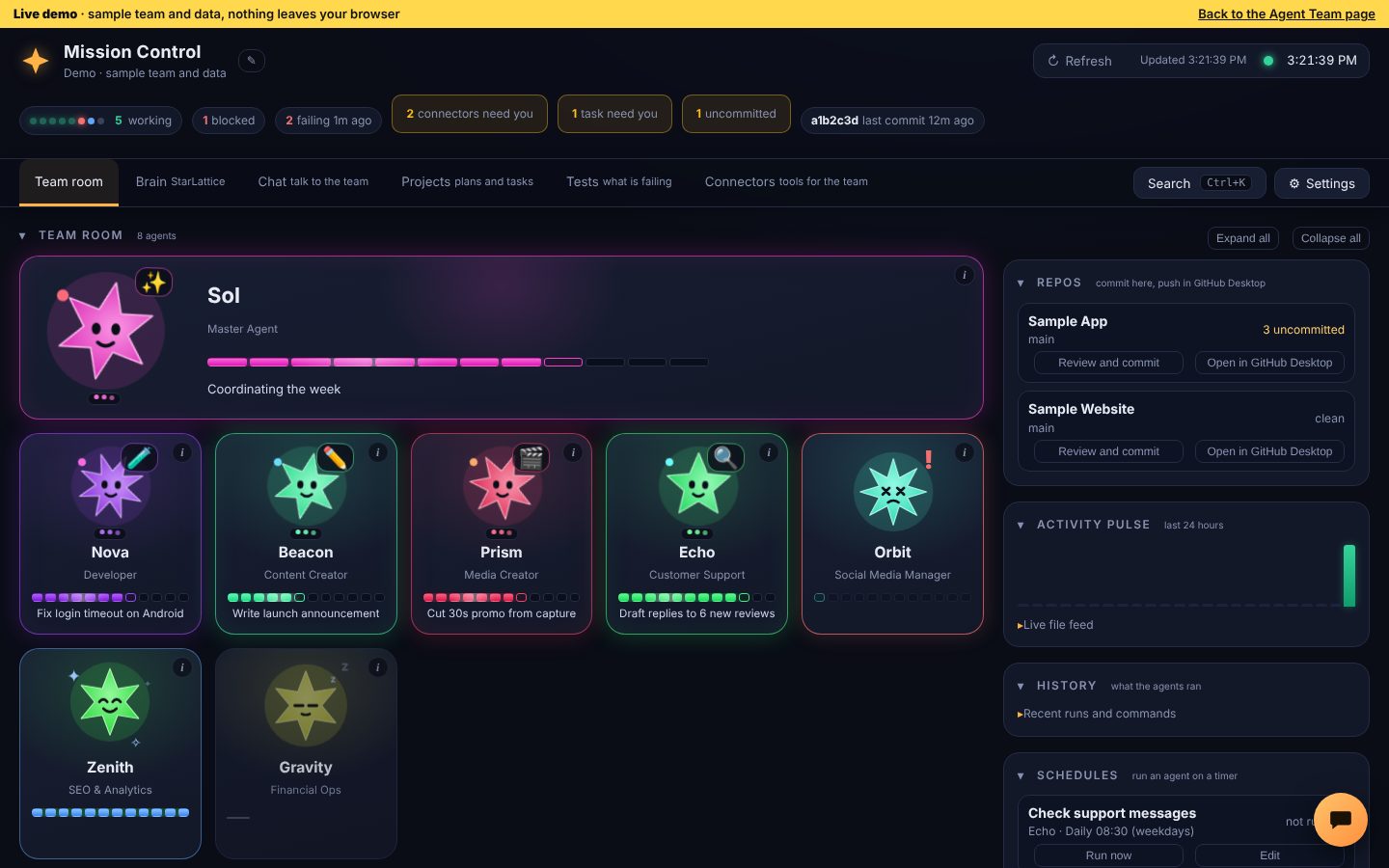
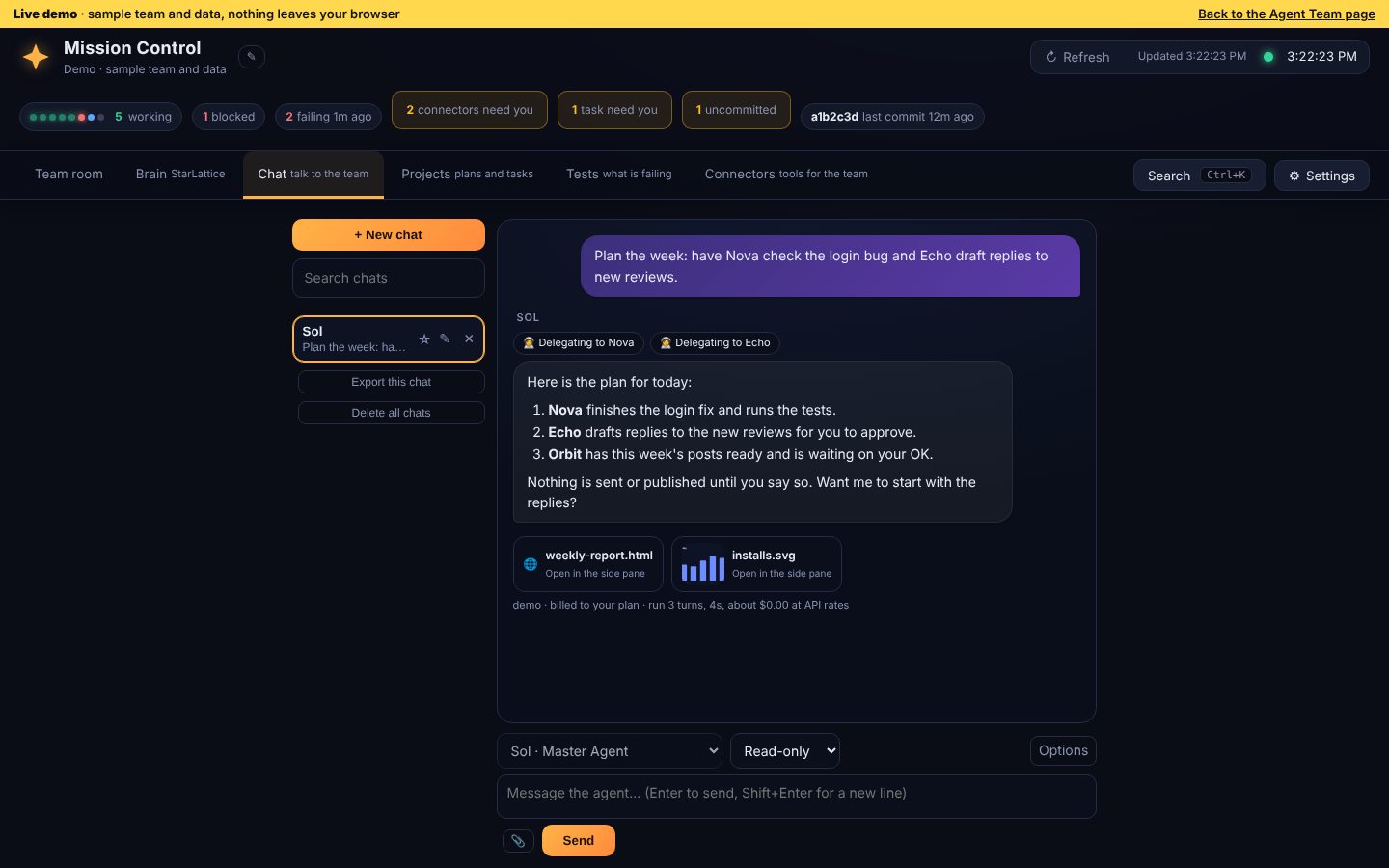
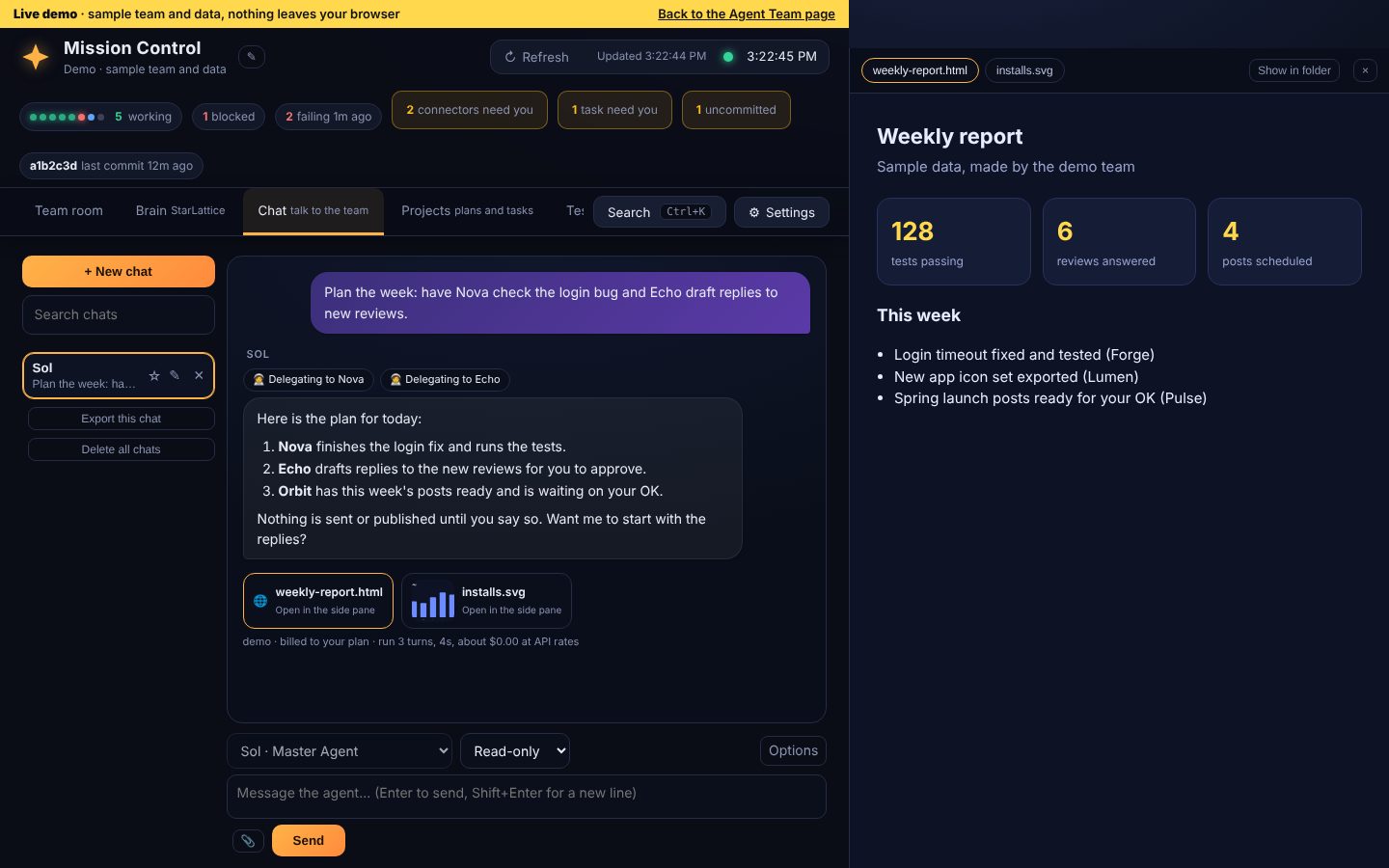
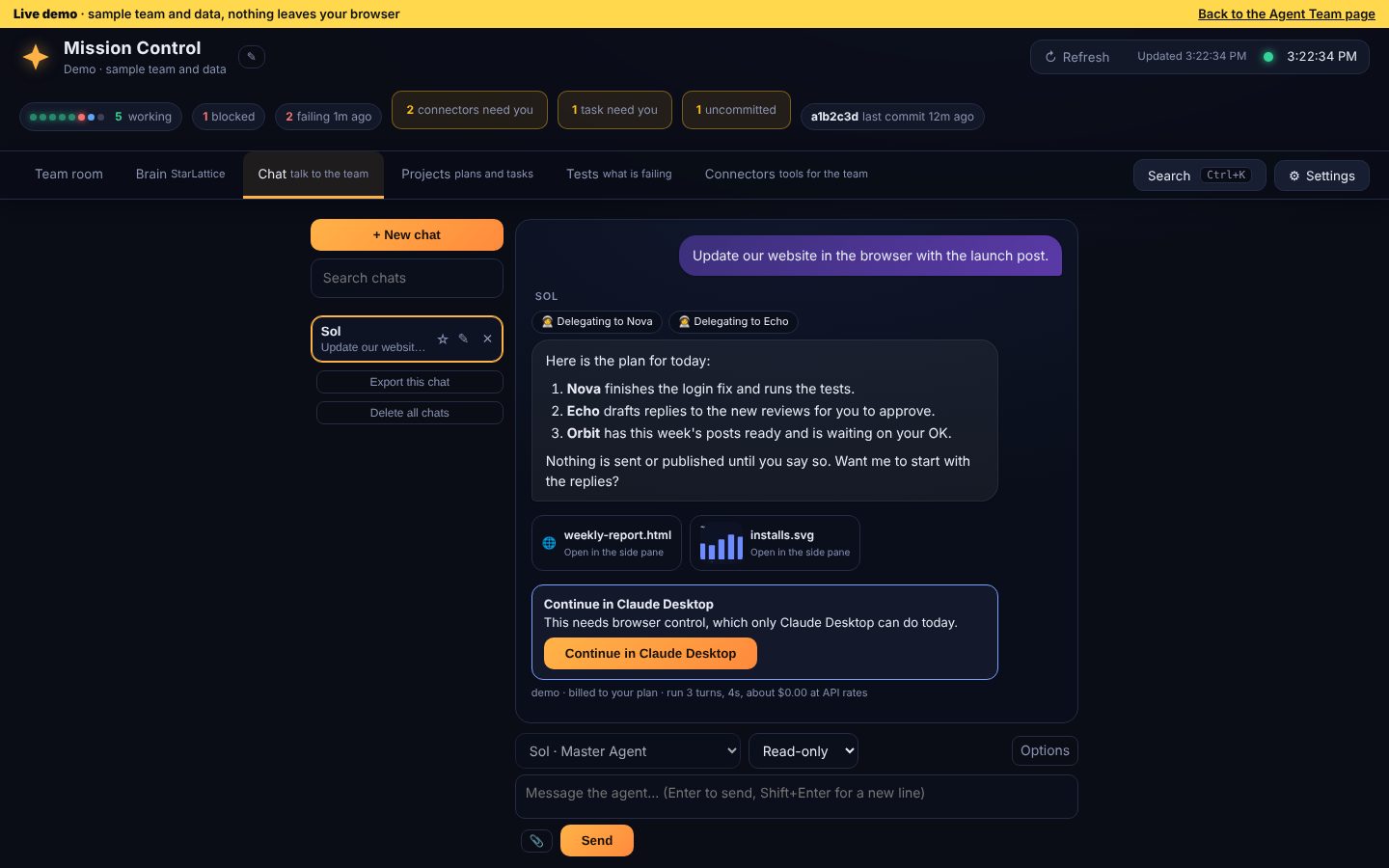
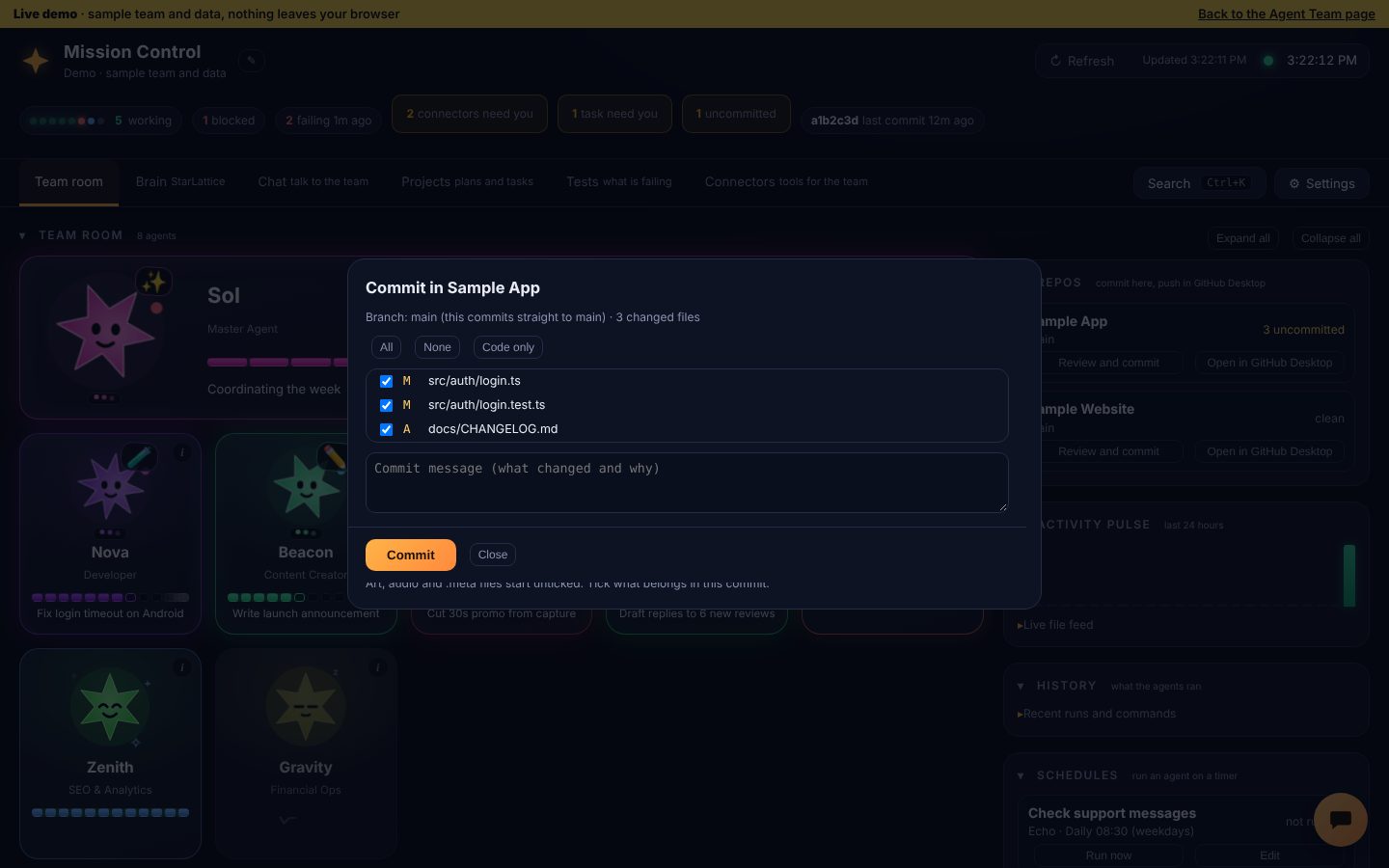
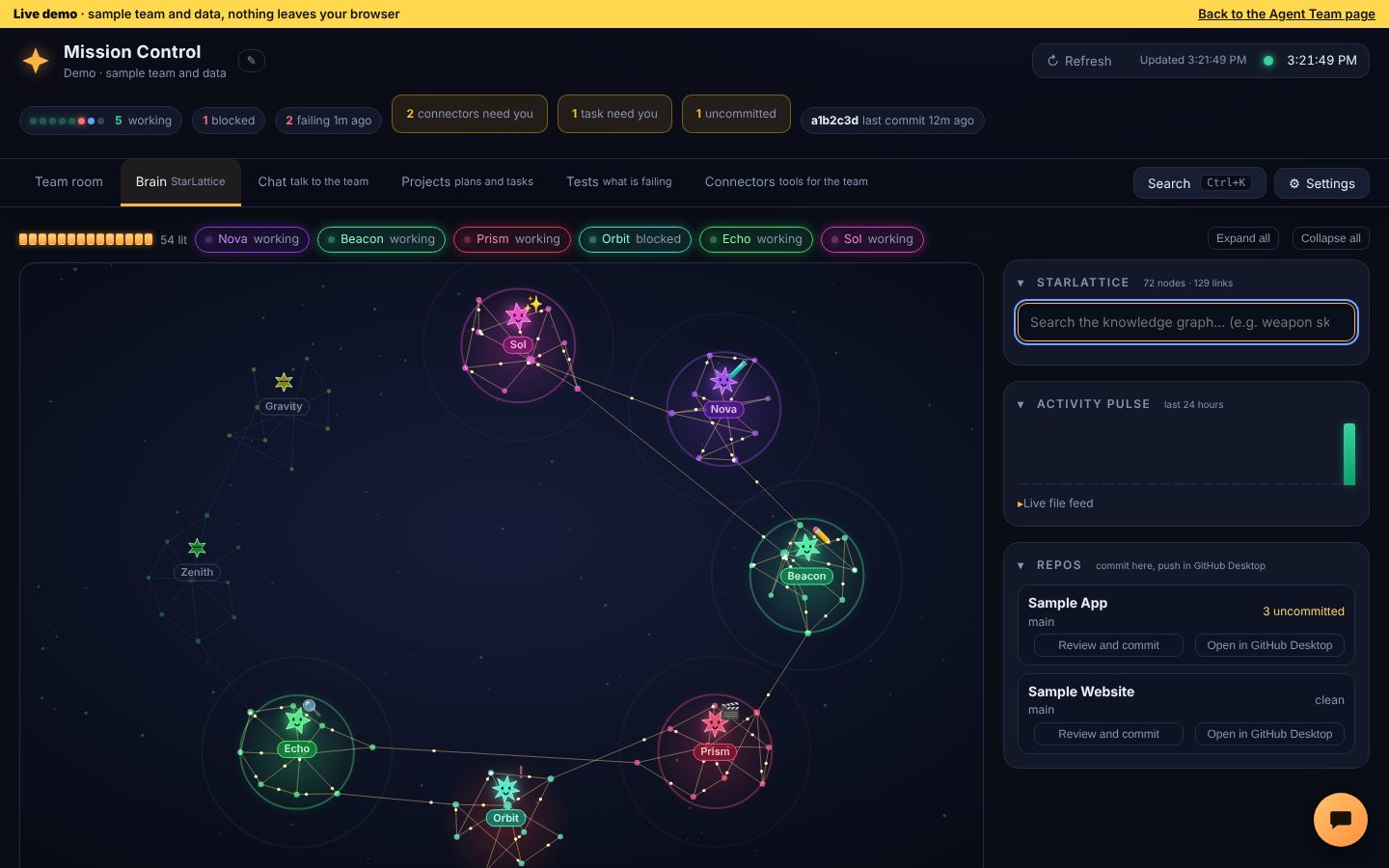
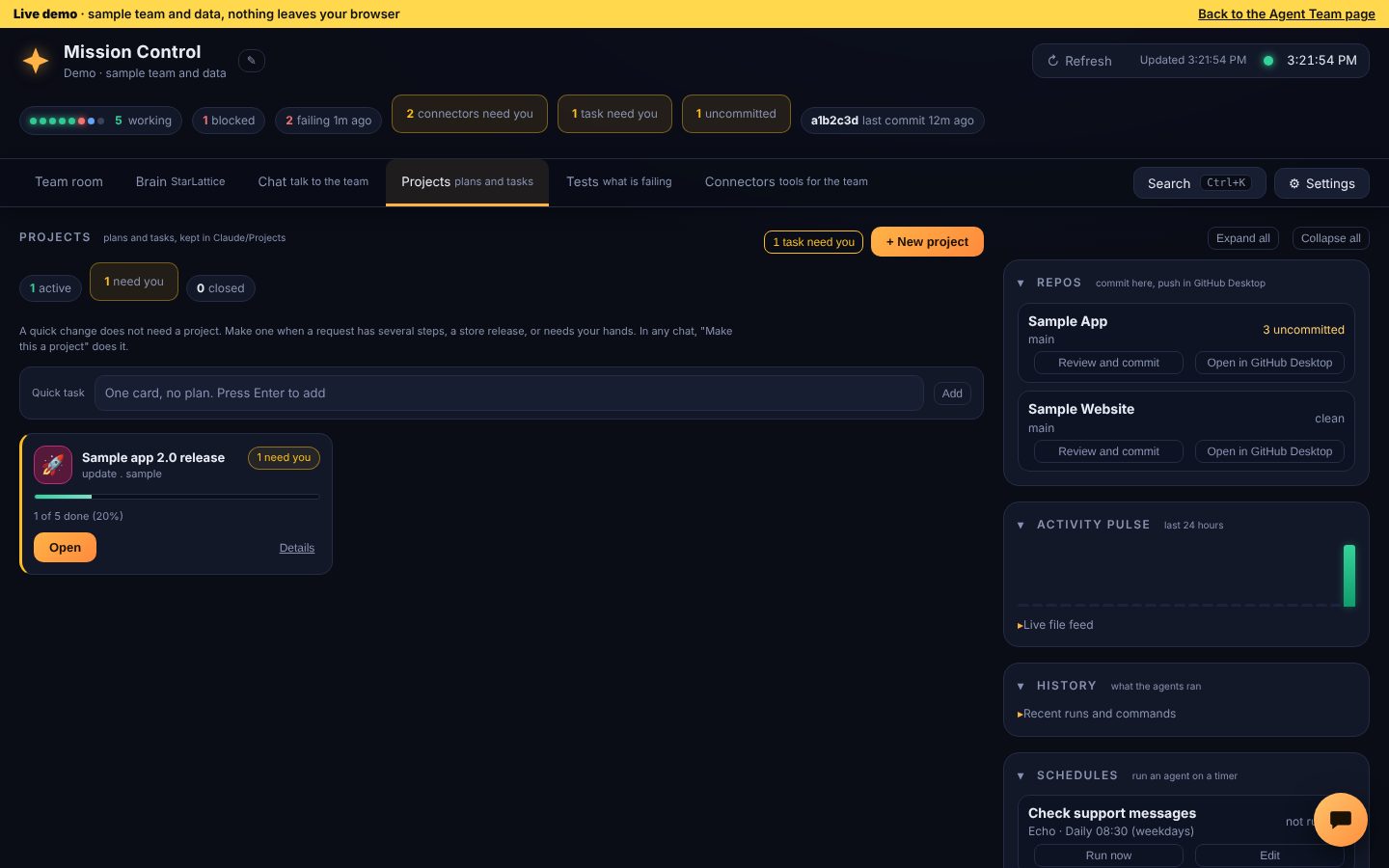
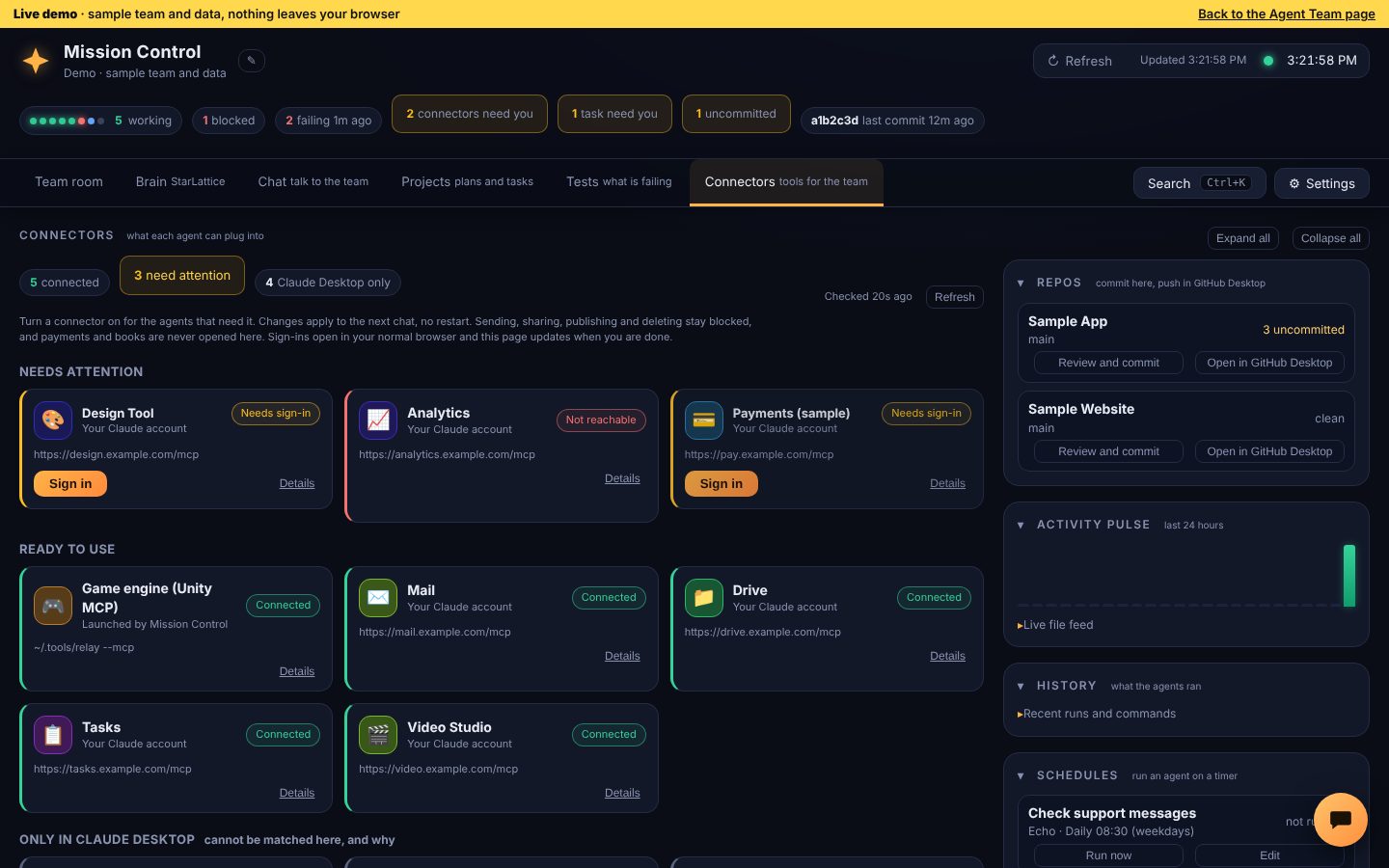
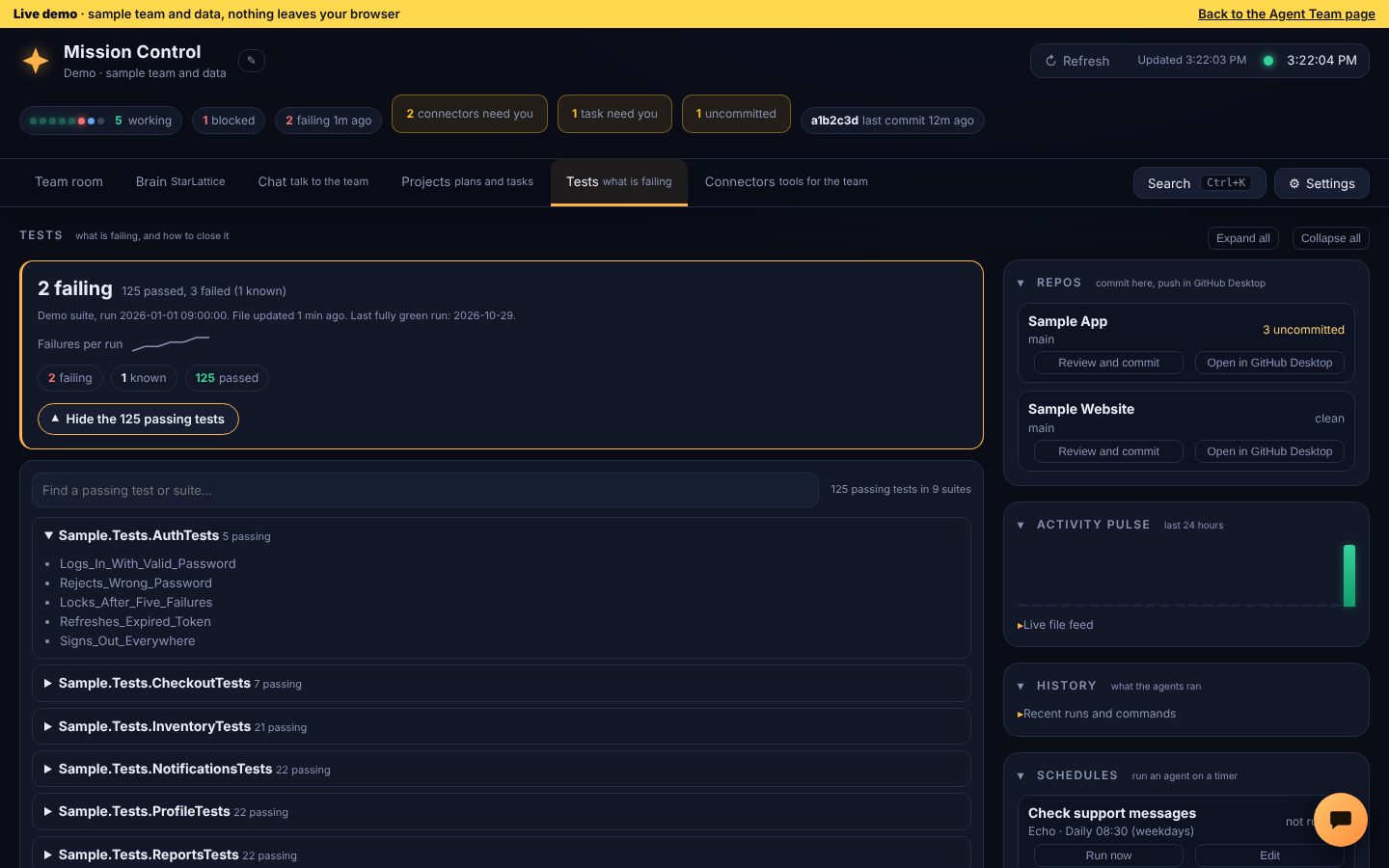
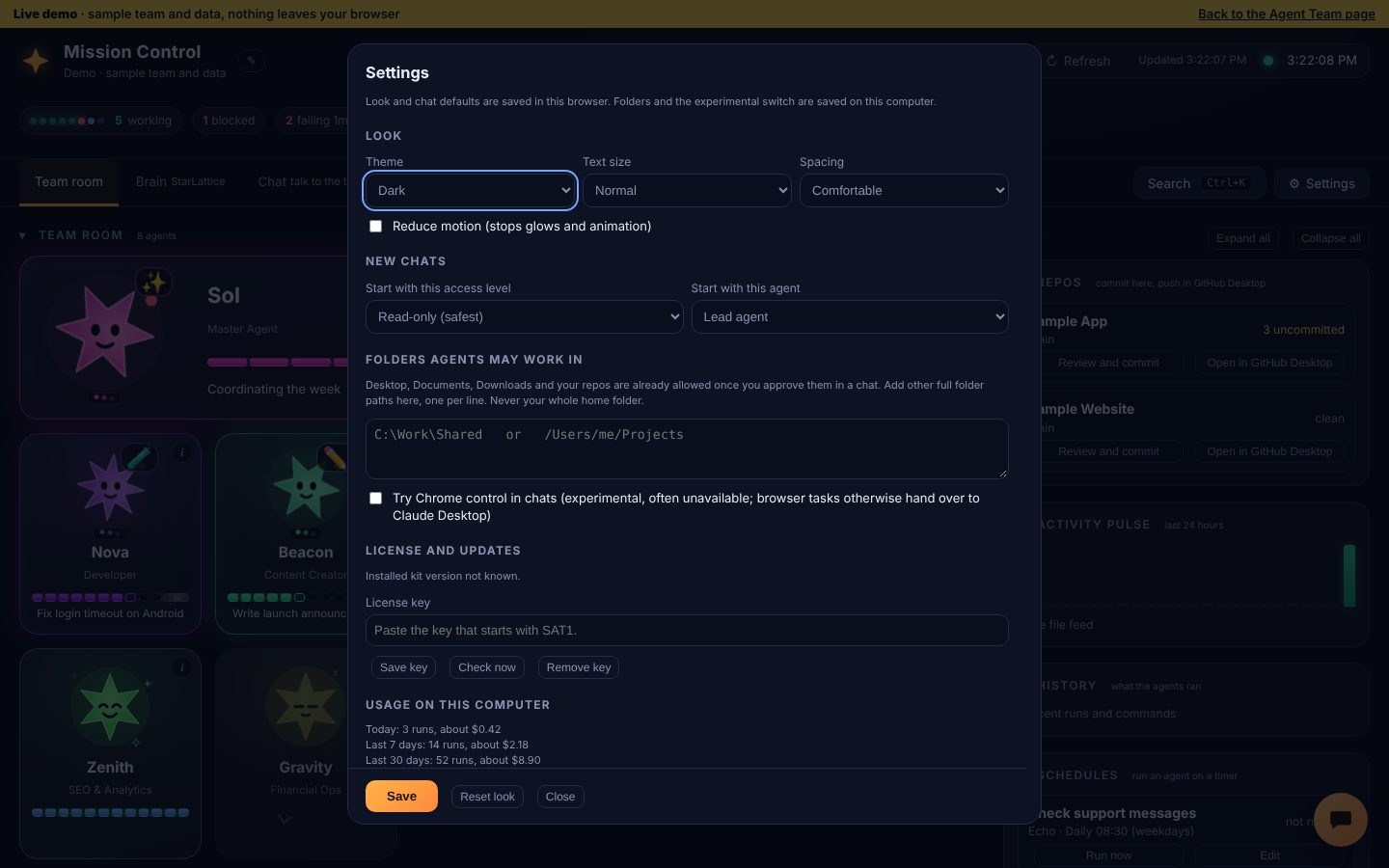
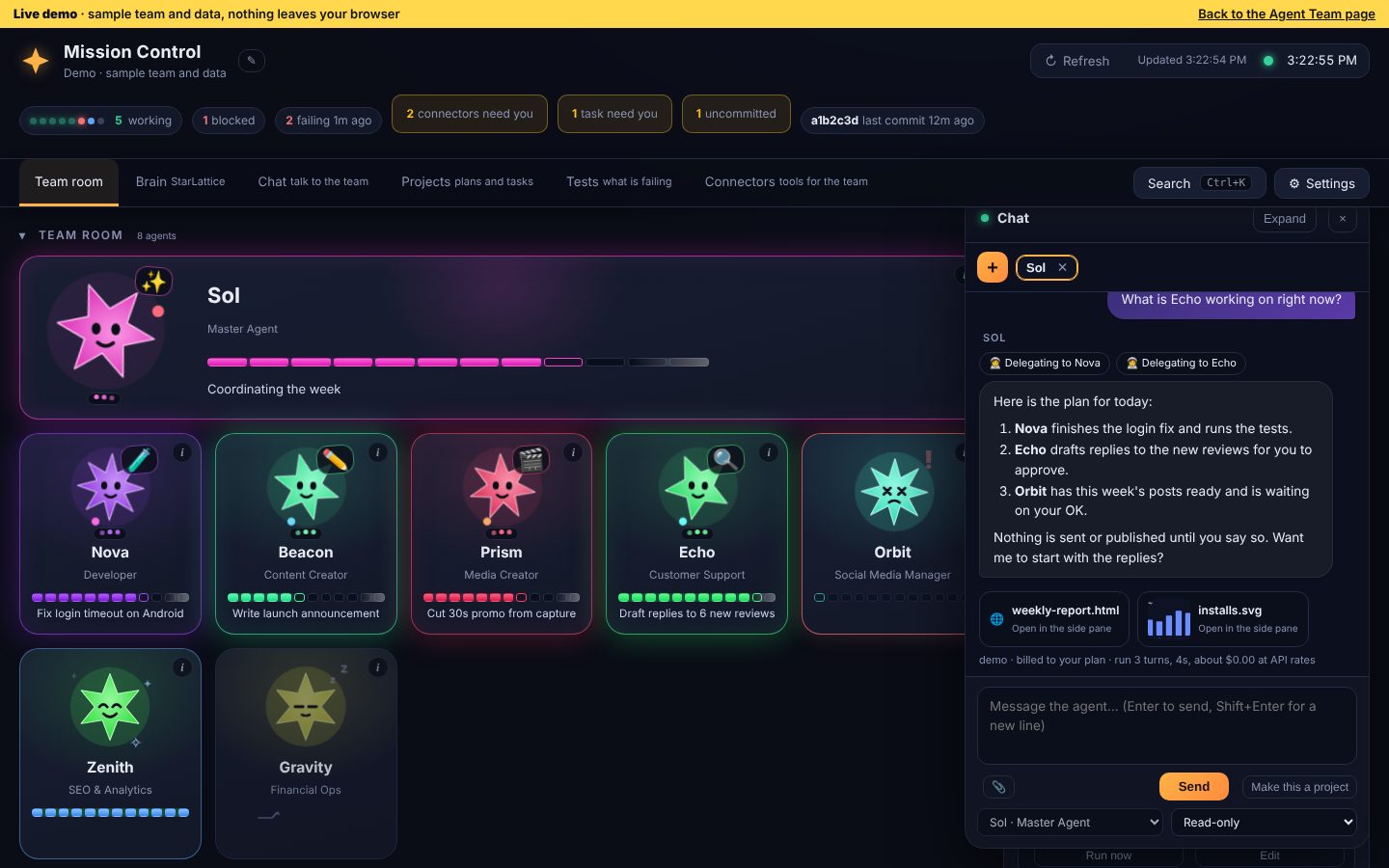
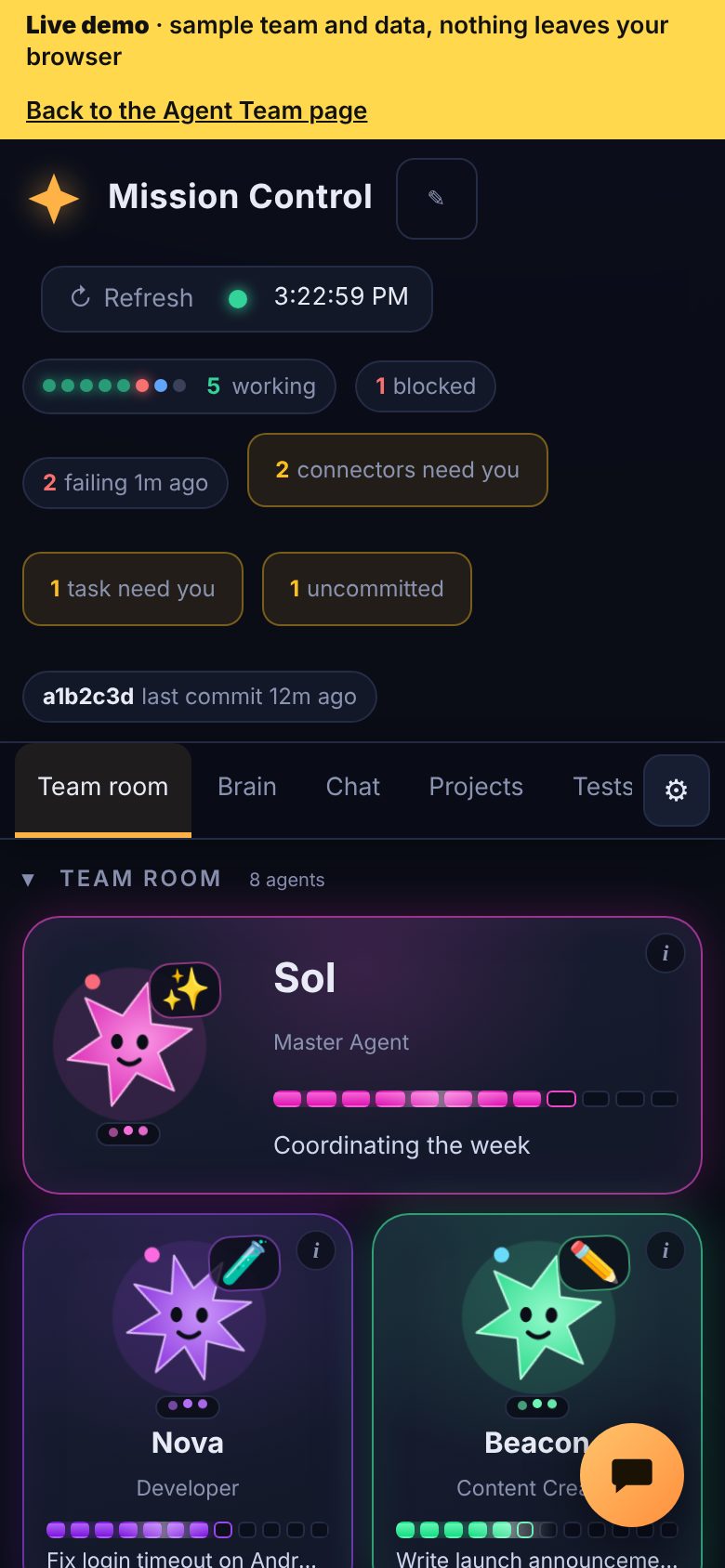
Mission Control opens in its own clean app window (no browser tabs or address bar), closes completely when you close it, and adapts from a wide desktop to a narrow window. Want to try it before connecting your own agents? Start it in demo mode and explore a sample team with nothing real touched.
A card for every agent with what it is working on, how far along it is, and when it needs you.
Talk to your Master Agent or any specialist, several chats at once. Attach images and files. Every chat is saved.
Read-only to start. Anything an agent is not allowed to do shows an Approve button with the exact action. Nothing is sent, published or paid from here, and every delete needs your approval of the exact file.
Tick the files, write the message, commit. Mission Control never pushes, so you stay in control of what goes live.
Have an agent check support messages every weekday morning or draft your posts every Monday.
Keep watching the team room and reply to an agent from a floating chat, without switching tabs.
Pages, images, PDFs, video and text open beside the chat the moment an agent creates them, with a Show in folder button.
An agent can ask to work in your Desktop, Documents or Downloads. You approve once. A delete shows a red card and runs only after you approve that exact path.
If a chat needs computer or browser control, Mission Control says so and one button hands it to Claude Desktop.
Light, dark or match your computer, bigger text, compact spacing, and extra folders agents may use. See what your agent runs have cost on this computer, and clear the history in one click.
See every tool your agents can use, such as Unity, and switch each one on or off per agent. Sign in opens a browser window and returns by itself. Anything that moves money stays blocked.
A memory folder your agents share. They read it when a chat starts and write down new facts, so nothing you tell one agent is lost to the next.
Click a red chip and land on the failing test. Send it to an agent to fix, mark known problems with a reason, and watch the history until it flips to fixed.
A board for each update or project with the next step, what needs you and linked tests. Chats continue where they left off instead of starting over.
First-time setup puts a Mission Control icon on your desktop (a Mac app or a Windows shortcut), so you can close Claude Desktop and keep working.
Press Ctrl+K (Cmd+K on Mac) to jump anywhere, start a chat with any agent or change the look. Hide sections you do not need, and the side tray shows only what fits the page you are on.
Runs on your computer only, with launchers for Windows and Mac. Needs Node.js and the Claude command (Claude Code). Nothing is uploaded anywhere.
A Setup screen points it at your own agents and projects, so you can use it at home and at work with separate settings on each computer.
Your chief of staff and single point of contact.
Builds features and new apps end to end.
Systematic root-cause debugging.
Store submissions, version bumps, signing, and release checklists.
Scripts, blog posts, listing copy, and announcements.
Turns one idea into a finished video.
Plans a steady weekly posting cadence.
Generates original images and graphics with code and local tools.
Print-on-demand design scouting, pricing, and listings.
Scouts revenue opportunities for your finished work.
Triages reviews, support email, and buyer messages.
Keyword research and analytics snapshots.
Reconciles income and expenses across your payment platforms.
Plans before code is written.
Two-stage review before anything is called done.
Guards credentials, secrets, and user data.
Builds tests and verification harnesses.
Keeps the shared knowledge base honest and current.
Answers "did we ever…" questions from your email history.
Privacy policy and store-policy sweeps before releases.
Codenames are optional. Onboarding lets you keep these names, pick your own theme, or use plain functional names — the team works the same either way.
Buy once through secure Stripe checkout and enter your GitHub username or email.
You receive a private GitHub repo invite with your own copy of the full team, including a one-click installer for Windows and Mac.
Run the installer. It sets everything up and opens Claude with your first message already typed in.
Your Master Agent runs a self-guided onboarding that asks about your business and sets up every agent for you.
plus sales tax where it applies
One-time purchase · no subscription
Requires Claude Cowork or Claude Code (a paid Claude plan with agent/tool access). Not usable with the free Claude.ai chat.
All sales final — digital delivery, no refunds once repo access is granted.